

TL;DR:
- Smart home accessories improve security, energy savings, and convenience for renters and homeowners.
- Privacy and security risks exist, but strong passwords and local processing can mitigate threats.
- Prioritize devices that solve specific problems, are Matter-certified, and support local processing for reliability.
Smart home accessories are no longer a niche hobby for tech enthusiasts. Whether you own your home or rent an apartment, these devices offer real, measurable improvements to your daily life. Burglary attempts drop by up to 60% with smart cameras, locks, and alerts in place, and energy savings can follow quickly after setup. This guide walks you through everything you need to know, from how these devices actually work to which ones fit your living situation, the real risks to watch for, and how to make smart choices that last.
Table of Contents
- What are smart home accessories and how do they work?
- Key benefits: Security, savings, and convenience
- Smart home for everyone: Renters and homeowners
- The full picture: Privacy, performance, and pitfalls
- Our take: What really matters when choosing smart home accessories
- Ready to upgrade? Start your smart home journey now
- Frequently asked questions
Key Takeaways
| Point | Details |
|---|---|
| Boost security and safety | Smart cameras and locks can cut burglary risk by up to 60% and speed emergencies. |
| Lower energy bills | Devices like smart thermostats save on heating and cooling costs with minimal effort. |
| Flexibility for every home | Both renters and homeowners can use smart devices—no permanent installation required for many products. |
| Mind the trade-offs | Watch for privacy risks and prioritize easy, reliable setups with local or Matter-compatible devices. |
What are smart home accessories and how do they work?
With the promise of security and savings in mind, let’s define what smart home accessories are and how they actually function.
Smart home accessories are connected devices that let you control, monitor, and automate parts of your home. Think smart plugs, light bulbs, door locks, thermostats, video cameras, and sensors. Each one connects to your home network or a local hub, and most can be controlled through a smartphone app, voice assistant, or scheduled routine.
The way these devices communicate depends on the protocol they use. The most common are:
- Wi-Fi: Easy to set up, works with your existing router, but uses more power
- Zigbee: Low power, great for large networks of devices, requires a hub
- Thread: A newer, low-latency mesh protocol built for reliability
- Matter: A universal standard that helps devices communicate efficiently across brands and ecosystems
Matter is worth understanding. It launched to solve one of the biggest frustrations in smart home setups: products from different brands that refuse to work together. With Matter, a bulb from one brand can talk to a hub from another without workarounds.
Here’s a quick comparison of smart accessories versus traditional alternatives:
| Feature | Traditional | Smart Accessory |
|---|---|---|
| Control | Manual only | App, voice, schedule |
| Energy tracking | None | Real-time monitoring |
| Remote access | Not available | Full remote control |
| Automation | Not possible | Fully customizable |
| Alerts | None | Instant notifications |
You can explore more on how these technologies shape your space in this smart home decor explained guide. The core benefit is simple: more control, less effort, and data you can actually use.
Key benefits: Security, savings, and convenience
Now that you know what these devices are, here’s why so many people are making the switch.
Security is the most immediately compelling reason. Smart locks, cameras, and motion sensors give you live visibility into what’s happening at your front door or inside your home, even when you’re away. Burglary attempts drop by up to 60% with smart cameras, locks, and sensors in place, and monitored systems can qualify for insurance discounts up to 20%. That’s a financial benefit on top of the peace of mind.
Learn more about the impact of smart cameras and security systems in your home.
Energy savings are the second major draw. Smart thermostats reduce energy bills by 10 to 17%, and some studies report efficiency improvements of up to 65% depending on prior usage habits. Smart plugs help by cutting phantom power drain from devices left in standby mode.
“The average household spends over $2,000 a year on energy. Shaving even 15% off that adds up fast.”
Convenience rounds out the top three. Scheduled routines mean your lights turn on before you wake up, your thermostat adjusts before you get home, and your front door locks automatically at night. You don’t need to think about it.
| Category | Traditional Home | Smart Home |
|---|---|---|
| Security alerts | None | Instant push notifications |
| Energy management | Manual adjustments | Automated and scheduled |
| Insurance savings | Standard rate | Up to 20% discount |
| Remote monitoring | Not possible | Live camera and app access |
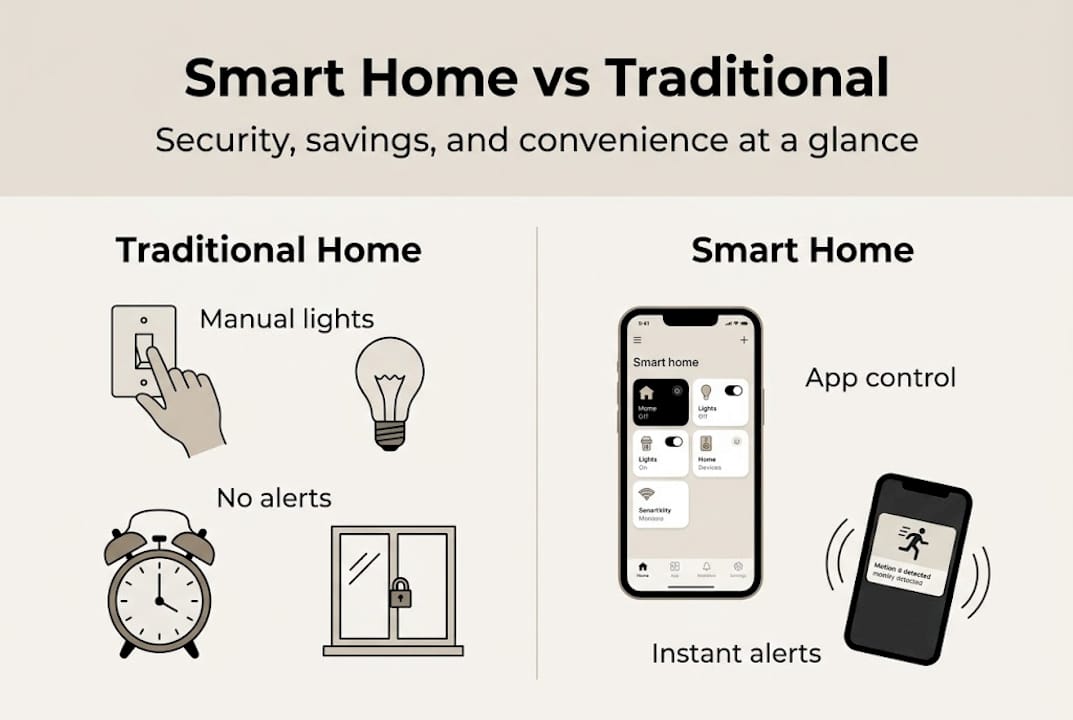
For homeowners specifically, these upgrades can raise resale value. Buyers pay attention to modern systems. And with home zoning with smart layout strategies, you can design spaces that work smarter at every level.
Smart home for everyone: Renters and homeowners
But are smart accessories only for property owners? Let’s clarify how both sides benefit.
The short answer: no. Renters have as much to gain as homeowners, and in many cases, the installation is even simpler. The key is choosing the right type of devices.
Best smart accessories for renters:
- Smart plugs: Plug in, pair with an app, and you’re done. No tools, no damage
- Smart bulbs: Screw in like any other bulb. Works in any standard socket
- Battery-powered cameras: Mount with removable adhesive strips. No-install, removable solutions make them ideal for temporary living
- Portable smart speakers: Voice control for your entire smart setup, no wiring needed
- Smart sensors: Door and window sensors with adhesive backs that leave no marks
When you move, everything comes with you. That’s a level of flexibility traditional home upgrades simply can’t match. Check out smart tech for renters for additional gear that’s designed to move with you.
For homeowners, the options expand considerably. You can install hardwired smart switches, replace existing locks with smart deadbolts, add in-wall thermostats, and wire full camera systems. These upgrades increase property value and can lower insurance premiums over time.
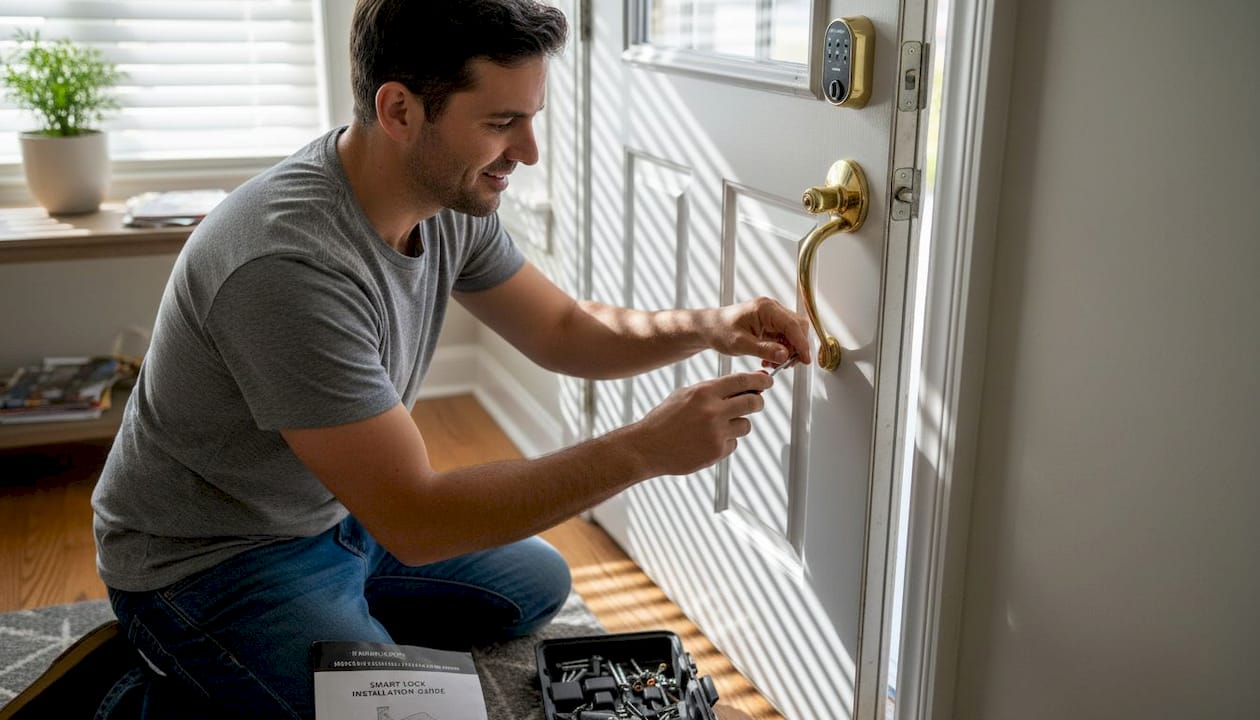
Pro Tip: If you’re renting, stick to battery or plug-powered accessories with no permanent installation. If you own, focus on a few high-impact upgrades first: a smart thermostat, a video doorbell, and smart lighting. These three alone cover security, savings, and convenience.
You’ll find great smart home options for renters and owners on our decor checklist, and smart lighting for apartments is another practical starting point if you’re not sure where to begin.
The full picture: Privacy, performance, and pitfalls
While the benefits are real, no technology is perfect. Here’s what you need to know before going all-in.
Privacy is the biggest concern most people don’t think about until it’s too late. Smart devices collect data constantly: usage patterns, location behavior, even audio in some cases. That data often lives on third-party cloud servers. If those servers are breached or the company shuts down, you lose access or your data is exposed.
Smart homes face 29 daily cyber attack attempts on average, and 38% of devices show signs of compromise in some studies. Even thermostats have been found to increase overall energy consumption when set up incorrectly.
“A connected home is only as secure as its weakest device. One unpatched gadget can open the door to your entire network.”
Performance is another real issue. Devices that rely on cloud processing experience lag. If your internet goes down, they may stop working entirely. Local processing, where the device runs commands without needing an external server, is faster and more reliable.
Common pitfalls to avoid:
- Too many ecosystems: Mixing brands without a unifying hub or Matter support creates frustration
- Skipping updates: Firmware updates patch security vulnerabilities. Don’t ignore them
- Overbuying: Adding 20 devices at once leads to setup fatigue and compatibility headaches
- Weak passwords: Default credentials are the easiest entry point for attackers
Pro Tip: Prioritize devices with local processing and Matter certification. These work faster, stay functional offline, and integrate smoothly across brands. Review your smart home setup tips before buying, and follow our smart lighting security tips to protect your network. For a full breakdown, read this overview of smart home system pros and cons.
Our take: What really matters when choosing smart home accessories
After weighing the benefits and challenges, here’s the bottom line most guides skip: more gadgets don’t mean a better home.
We’ve seen homeowners invest in eight different apps, four incompatible ecosystems, and a drawer full of remotes, only to go back to flipping switches manually because the setup became too complicated. That’s not a smart home. That’s a frustrating one.
The accessories that actually improve daily life are the ones that solve a specific, real problem. Your energy bill is too high? A smart thermostat is a clear win. You travel often and worry about security? A video doorbell and battery camera make sense. But buying a smart coffee maker because it exists? Probably not worth your time.
Our recommendation: start small, choose Matter-certified devices, and prioritize local processing over cloud dependency. Reliability always beats novelty. And if you want a clean, organized approach to streamlining smart home setup, that resource is a good place to anchor your plan.
The best smart home is the one you barely have to think about.
Ready to upgrade? Start your smart home journey now
If you’re considering taking the next step, here’s where you can find curated picks and advice for a smooth upgrade.
At New Way Ref, we’ve brought together a thoughtfully curated selection of home accessories, lighting fixtures, and modern decor to help you upgrade your space with confidence. Whether you’re a renter looking for plug-and-play solutions or a homeowner building out a full smart setup, you’ll find options that blend functionality with style. Explore our collections and browse our smart home decor advice to match the right products to your living space. Free shipping on orders over $50 makes it even easier to get started.
Frequently asked questions
Are smart home accessories worth it for renters?
Yes. Plugs, bulbs, and cameras require no permanent installation and move with you when your lease ends, making them a flexible and practical investment.
Will smart home devices save me money?
Smart thermostats cut heating costs by 9.6 to 17.5% based on real data from thousands of homes, with additional savings from smart plugs reducing standby power drain.
Are there privacy or security risks?
Yes, real risks exist. 29 daily attack attempts target the average smart home, but strong passwords, regular firmware updates, and local processing significantly reduce your exposure.
How do I choose the right devices for my home?
Focus on accessories that solve a specific need in your home, and look for Matter-certified devices that work across brands and support local processing for better privacy and performance.
Recommended
- Smart Home Decor: Blending Style With Technology – New Way Ref
- 7 Essential Steps for a Smart Home Decor Checklist – New Way Ref
- Why Invest in Home Accessories: Transform Your Space – New Way Ref
- What is smart lighting? A 2026 guide for modern homes – New Way Ref
- Unlock HVAC efficiency: The homeowner’s guide to thermostats