

TL;DR:
- Building an effective home office starts with ergonomic core furniture like a supportive chair, desk, and monitor placement. Prioritizing these essentials before accessories reduces discomfort and long-term fatigue, enabling better focus. Systematic setup and ongoing refinements foster a healthier, more productive workspace that adapts to your needs.
Working from home sounds simple until your back aches by noon, your screen glare gives you headaches, and your desk disappears under a pile of cables and coffee cups. Most remote workers piece together their workspace by grabbing whatever’s on sale or copying a friend’s setup, and then wonder why they still feel tired and distracted. A well-rounded essentials list starts with a core workstation triad of desk, chair, and monitor positioning before building outward. This guide breaks down exactly what you need, in the right order, so every purchase moves you closer to a workspace that actually works.
Table of Contents
- How to prioritize your home office essentials
- The ergonomic core: Must-have furniture for your workspace
- Productivity-boosting accessories: Lighting and desktop organization
- Personal comfort and wellness upgrades
- Complete checklist: Your tailored home office essentials
- A fresh perspective: What most home office lists miss
- Level up your home office with New Way Ref
- Frequently asked questions
Key Takeaways
| Point | Details |
|---|---|
| Prioritize ergonomics | Start with a chair, desk, and monitor setup to stay comfortable and prevent pain. |
| Add lighting and organization | Good lighting and a clutter-free desk boost focus and reduce stress. |
| Personalize for well-being | Layer in comfort accessories and decor that support your workflow and mood. |
| Use a structured checklist | A sequenced essentials list saves money and ensures nothing important is missed. |
| Customize to your needs | Tailor your home office to what helps you focus, not just popular trends. |
How to prioritize your home office essentials
With the need for a thoughtful setup established, the next step is understanding how to sequence your purchases so you spend wisely and feel results fast.
Most people start shopping for home office gear backwards. They grab a decorative lamp or a wireless speaker before they have a chair that supports their spine. That backwards approach wastes money and leaves the real problems unsolved. The better method is to treat your setup as a sequence, working from the inside out.
A structured essentials checklist typically covers 30 to 40 items split across workstation ergonomics, technology tools, and personal self-care. Breaking it into those three layers makes the whole process less overwhelming and helps you see exactly where the gaps are in your current setup.
The right methodology is to treat your priorities as a clear sequence: core ergonomic components first, then comfort add-ons like lighting and storage, and only then convenience electronics. This approach keeps you from wasting $200 on a smart speaker when your wrists are still aching from a bad keyboard angle.
Here’s how to build your priority sequence:
- Identify your biggest pain point. Is it physical discomfort, visual clutter, or constant distraction? Your answer determines where you start.
- Invest in core ergonomics first. Chair, desk surface, and monitor height affect you for every hour you work.
- Layer in comfort and organization. Lighting, cable management, and storage reduce friction without requiring a full overhaul.
- Add convenience and wellness items last. These are meaningful but won’t fix a bad foundation.
A smart starting point is reviewing a home decor checklist to see how your broader space affects your focus. Thinking about furnishing small spaces efficiently also helps if your home office doubles as a bedroom or living area.
“The biggest mistake remote workers make is treating their home office like a one-time purchase rather than a living system they refine over time. A methodical setup reduces overwhelm, sharpens focus, and brings real work-life harmony.” — Remote Work Setup Guide
Pro Tip: Write down your top three discomforts before spending anything. That list is your shopping guide.
The ergonomic core: Must-have furniture for your workspace
Now that you know how to prioritize, let’s focus on the essential furniture every home office truly needs for a healthy, productive foundation.
The desk, chair, and monitor setup are the triad that shapes everything else. Get these right and the rest of your workspace falls into place naturally. Get them wrong and no amount of stylish accessories will fix the neck pain or mental fatigue that builds up over long sessions.
The core workstation triad of desk, chair, and monitor positioning forms the backbone of any productive home office. Meanwhile, prioritizing the chair and foundational ergonomics before secondary upgrades is one of the most well-established approaches to building a workspace that lasts.
Your desk needs to match your body and your workflow. A surface that’s too small forces you to reach awkwardly for your mouse. A desk that’s too high raises your shoulders into a tense shrug for hours at a time. Explore a smart workspace setup to find sizing guidance suited to compact rooms.
What to look for in each core furniture piece:
- Desk: At least 48 inches wide, with cable management holes, sturdy legs, and a surface height between 28 and 30 inches for seated work
- Chair: Adjustable lumbar support, seat height range of 16 to 20 inches, padded armrests at elbow level, and breathable fabric or mesh back
- Monitor stand or arm: Places the top of your screen at or just below eye level, reduces forward head tilt, and frees up desk surface space
- Keyboard and mouse: Low-profile or ergonomic keyboard to keep wrists flat, mouse sized to fit your hand without a stretched reach
Pair these with home furniture basics to keep your aesthetic consistent while still hitting all the functional requirements.
Pro Tip: If you use a laptop as your main computer, a riser or external monitor stand plus a separate keyboard and mouse transforms it into a proper ergonomic setup for under $100.
The chair is where most people underspend and regret it the most. A cheap chair with no lumbar adjustment forces your lower back into a rounded position, which leads to fatigue, soreness, and reduced concentration within just two to three hours. Spending more on your chair is one of the few home office investments that pays back daily.
Productivity-boosting accessories: Lighting and desktop organization
With a solid ergonomic base in place, your next task is to address vital comfort boosters, namely lighting and organization.
These two areas are often treated as afterthoughts, but they directly affect how long you can focus and how good you feel during the workday. Lighting and desk organization are repeatedly treated as “non-glam” essentials, yet glare and clutter are among the most consistent drivers of discomfort and distraction in home offices.
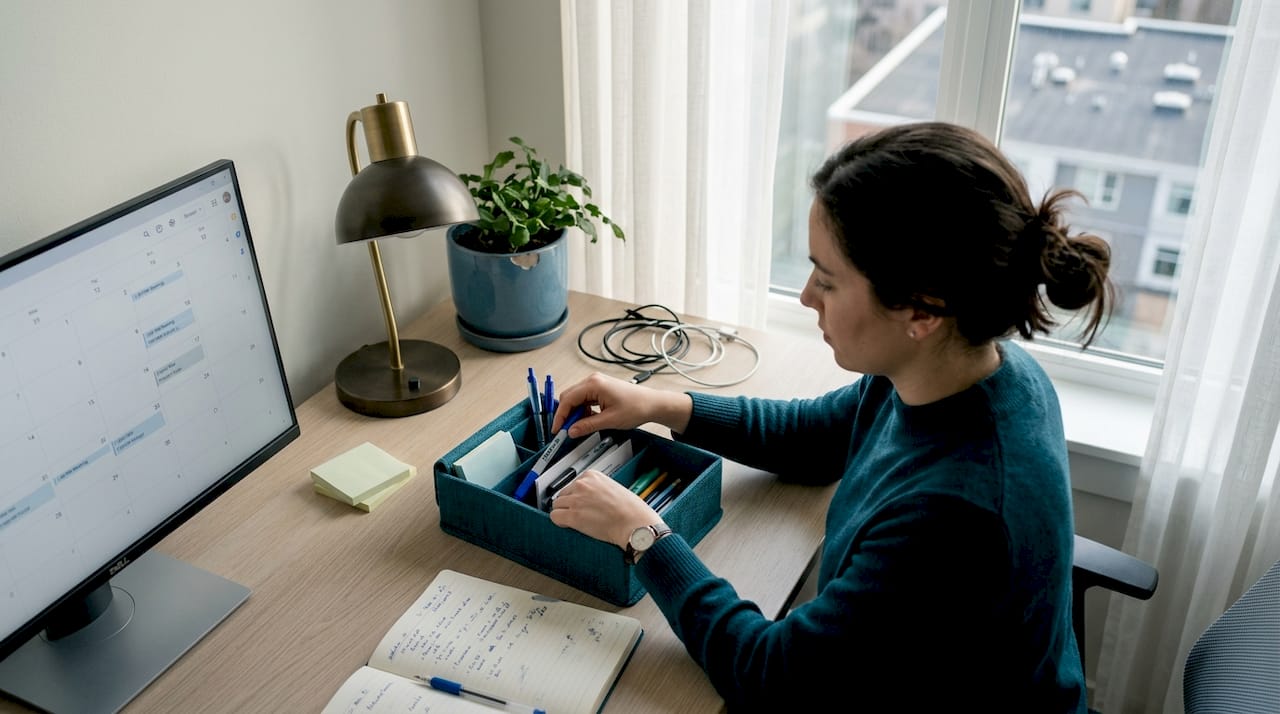
Harsh overhead lighting creates glare on your monitor, which forces your eyes to work harder all day. Dim lighting in the wrong places makes you squint at documents or strain to see your keyboard. Neither extreme helps you focus. The fix is layered lighting using a primary task light, soft ambient fill, and natural light where possible.
Lighting and organization accessories worth prioritizing:
- Adjustable desk lamp with a color temperature option between 4000K and 5000K for daytime focus
- Clip-on monitor light that illuminates your desk surface without reflecting off the screen
- Cable management tray or clips to route power cords away from your visual field
- Desktop organizer for pens, notepads, and small items you use repeatedly
- Small shelf or monitor riser with built-in storage to lift clutter off the primary surface
Check out lighting tips for small spaces to see how a few targeted changes can completely change the feel of a compact home office. A detailed lighting selection guide also helps you match bulb types and fixtures to your specific room layout.
Comparison of popular home office lighting and organization add-ons:
| Item | Key feature | Price range | Best for |
|---|---|---|---|
| Adjustable desk lamp | Dimmable, color temperature control | $25 to $80 | Long workdays, eye care |
| Monitor light bar | Glare-free desk illumination | $40 to $100 | Dual screen setups |
| Cable management tray | Mounts under desk, holds power strips | $15 to $40 | Tidy, clutter-free look |
| Desktop organizer | Multiple compartments, compact footprint | $10 to $35 | Small desks, daily essentials |
| Pegboard panel | Wall-mounted, fully customizable storage | $30 to $70 | Maximizing vertical space |
Pro Tip: Fix your lighting before you buy any new decor. A well-lit, organized desk looks more polished and feels more inviting even before you add a single decorative item.
Cable management is one of those improvements that feels almost invisible once it’s done, but makes an enormous difference day to day. When cords are bundled and routed neatly, your desk becomes easier to clean, easier to reconfigure, and mentally much calmer to sit at.
Personal comfort and wellness upgrades
Beyond basic equipment and organization, the finishing touch is layering in comfort and wellness details to make the space genuinely yours.
These items aren’t luxuries. For people who spend six to nine hours a day at a desk, small comfort upgrades reduce physical fatigue, improve mood, and support focus in ways that no software tool can replicate. Indeed’s guide covering 40 essentials groups self-care items alongside technology tools, signaling that wellness additions belong in any complete home office plan.
Comfort and wellness items to consider:
- Footrest: Supports your feet if your chair sits too high for your desk, reducing lower back tension
- Lumbar cushion or seat pad: Adds support to chairs that lack built-in adjustment
- Small indoor plant: Improves air quality modestly and provides a visual rest point for tired eyes
- Air purifier: Filters dust and allergens, especially valuable in rooms with poor ventilation
- Reusable water bottle on your desk: Keeps you hydrated without repeated trips away from work
- Noise-canceling headphones or earplugs: Blocks household noise during focused tasks or video calls
- Wrist rest for keyboard: Reduces tension during extended typing sessions
Read through cozy interior tips to find layering ideas that make your workspace feel welcoming rather than clinical. If you want to go deeper on personalization, tips for personalizing your workspace offers practical guidance on bringing your personality into the space without sacrificing function.
Top comfort and wellness upgrades by impact and cost:
| Item | Comfort impact | Estimated cost | Priority level |
|---|---|---|---|
| Lumbar cushion | High | $20 to $60 | Start here |
| Footrest | Medium-high | $25 to $50 | Early upgrade |
| Indoor plant | Medium | $10 to $30 | Nice to have |
| Air purifier | High (for allergy sufferers) | $60 to $150 | Situational |
| Wrist rest | Medium | $10 to $25 | Recommend for heavy typists |
| Noise-canceling headphones | Very high (open-plan homes) | $80 to $350 | Strong investment |
The best approach is to tailor your comfort picks to your actual work style. If you take a lot of video calls, sound management matters more than a footrest. If you sit for stretches of four hours or longer, a seat cushion and lumbar support will do more for your daily output than any tech upgrade.
Complete checklist: Your tailored home office essentials
To tie everything together, here’s a practical checklist to help you map out and sequence your shopping or improvements.
A structured essentials checklist divided into clear priority tiers saves time and cuts decision fatigue significantly. Use this list to evaluate what you already have, identify the gaps, and build a shopping plan in the right order.
Tier 1: Core workstation (buy these first)
- Ergonomic chair with lumbar support and adjustable height
- Desk with adequate surface area and cable management
- Monitor or laptop stand for proper eye-level positioning
- External keyboard and mouse for comfort and posture
Tier 2: Comfort and organization (buy these next)
- Adjustable desk lamp or monitor light bar
- Cable management tray or clips
- Desktop organizer or small shelf unit
- Headphones or earplugs for focus
Tier 3: Wellness and personalization (add over time)
- Footrest and seat or lumbar cushion
- Indoor plant or small decorative items
- Air purifier if ventilation is a concern
- Wrist rest for keyboard-heavy work sessions
- Whiteboard, pinboard, or notes system for task tracking
The goal isn’t to buy everything at once. It’s to work through each tier deliberately, confirm each item actually improves your setup, and then move to the next level. This approach keeps spending focused and ensures you feel the impact of each upgrade before adding more.
A fresh perspective: What most home office lists miss
Most published home office essentials lists focus almost entirely on physical gear. And while the furniture and accessories covered in this guide genuinely matter, the real gap in most advice is the failure to consider why your setup isn’t working before suggesting what to buy.
Some lists emphasize physical ergonomics only, while others include productivity systems like focus blocks, notification discipline, and clear separation of work and personal time. The right approach depends entirely on whether your main bottleneck is physical discomfort, a chaotic environment, or a fragmented attention span.
If you can’t stop checking your phone every 20 minutes, a better chair won’t fix that. If you’re comfortable but constantly distracted by household noise and interruptions, the solution is sound management and clear work-hour boundaries, not a new desk lamp. This distinction matters because it saves you from buying solutions to problems you don’t actually have.
Our honest view is that popular home office lists often oversell gear and undervalue systems. Physical comfort is foundational, but it only unlocks your potential. What you do with that comfortable, well-lit space depends on how you manage your own attention and habits. Consider exploring smart home accessories that can support both your environment and your routines without adding clutter.
The most effective remote workers we’ve observed treat their workspace as an ongoing project, not a one-time purchase. They start with ergonomics, remove friction through organization, and then pay attention to what still pulls their focus. That iterative approach beats any generic “ultimate list” every time.
Level up your home office with New Way Ref
With your checklist in hand, finding the right gear and decor is the natural next step.
At New Way Ref, we’ve curated a selection of modern, practical home furnishings and accessories designed to help you build the workspace you actually want. Whether you’re starting with a new desk setup, refreshing your lighting, or adding comfort touches that make long workdays more manageable, our collection covers each tier of your priority list.
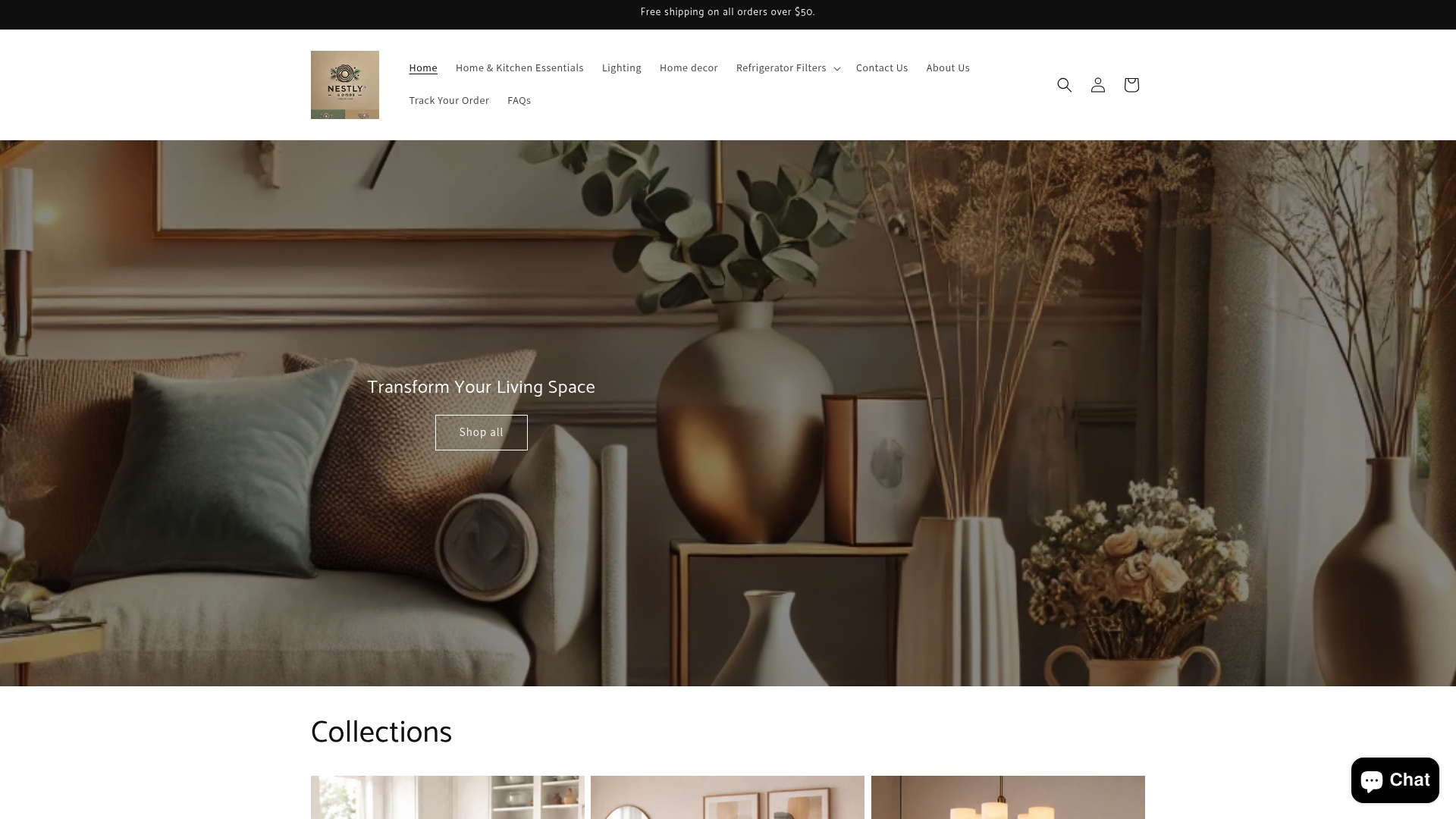
Browse our full range of office upgrade options to find desks, organizers, lighting fixtures, and decor that fit your style and budget. We offer free shipping on orders over $50, so building your ideal home office is both practical and affordable. Your workspace should support your best work and look great while doing it.
Frequently asked questions
What are the absolute must-haves for a home office?
A quality chair, desk, and properly positioned monitor form the core workstation triad for any productive home office. Everything else builds on this foundation.
How can I improve my home office lighting?
Position a desk lamp to reduce glare and use indirect light sources to minimize eye strain, since glare and clutter are among the most common productivity killers in home offices.
Are decor and personal items essential for productivity?
Plants, art, and cushions support well-being and motivation, but the self-care essentials come after you’ve addressed ergonomics and organization first.
Should I buy a standing desk for my home office?
Standing desks offer flexibility, but foundational ergonomics like a supportive chair and correct monitor height deliver more immediate benefit. Upgrade to a standing desk once the basics are covered.
How does cable organization affect productivity?
A clutter-free desk reduces visual distractions that compete for your focus, keeping your working memory clear and your environment calmer throughout the day.
Recommended
- How to create cozy interiors: layering, lighting, and layout – New Way Ref
- How to choose home furniture for comfort and style – New Way Ref
- Smart Furniture Choices for Small Spaces: Maximize Comfort – New Way Ref
- Essential types of home furniture for style and comfort – New Way Ref
- 5 styles de salons cosy : optimisez confort et espace – Joya Home