

TL;DR:
- Smart homes are now widely adopted, offering homeowners convenience, energy savings, and security improvements.
- Choosing compatible, high-ROI devices and starting with a central hub creates a reliable, integrated smart home system.
- Smart technology enhances property value and aesthetic appeal, making it a smart investment for modern living.
Smart homes are no longer a luxury for tech enthusiasts with deep pockets. Smart home adoption has reached 63% of US broadband households, which means your neighbors are probably already controlling their lights from their phones. Yet many homeowners and renters still assume smart home technology is too complicated or too expensive to bother with. This guide breaks down exactly what a smart home is, what makes one work, which devices deliver real value, and how you can start building yours today without any technical background.
Table of Contents
- What is a smart home and how does it work?
- Top benefits of smart home technology
- Choosing smart home devices and systems: tips and comparisons
- Smart home installation and system management for homeowners and renters
- Boosting your home’s style and value with smart home tech
- Why starting smart the right way makes all the difference
- Explore smart home solutions at New Way Ref
- Frequently asked questions
What is a smart home and how does it work?
At its core, a smart home is a residence equipped with internet-connected devices you control remotely through smartphone apps or voice commands. These devices communicate through your home’s Wi-Fi network or dedicated wireless protocols, letting you adjust settings, trigger actions, or check in from anywhere.
What makes a home “smart” is not any single product. It is the combination of connected devices working together as a system. You might start with a smart thermostat and add a video doorbell six months later. Each device adds a layer of control and automation without requiring you to redo anything you already set up.
Here are the core components that make up most smart home setups:
- Smart lighting: Bulbs or switches you can dim, schedule, or change color from your phone
- Smart locks and doorbells: Keyless entry, video monitoring, and remote access control
- Smart thermostats: Temperature scheduling tied to your daily routine and occupancy
- Smart plugs and outlets: Turn any standard appliance into a remotely controlled device
- Security cameras: Live and recorded video you monitor from anywhere
- Voice assistants and hubs: Central control points that connect and coordinate all your devices
These devices communicate using protocols like Wi-Fi, Zigbee, Z-Wave, or the newer Matter standard. You control everything through a single app or voice assistant, and many actions can be fully automated. For a broader look at how these components fit together, see this smart home devices overview.
Top benefits of smart home technology
Understanding what a smart home is helps clarify why so many homeowners and renters are choosing to upgrade. The benefits are practical and measurable, not just cool gadgets.
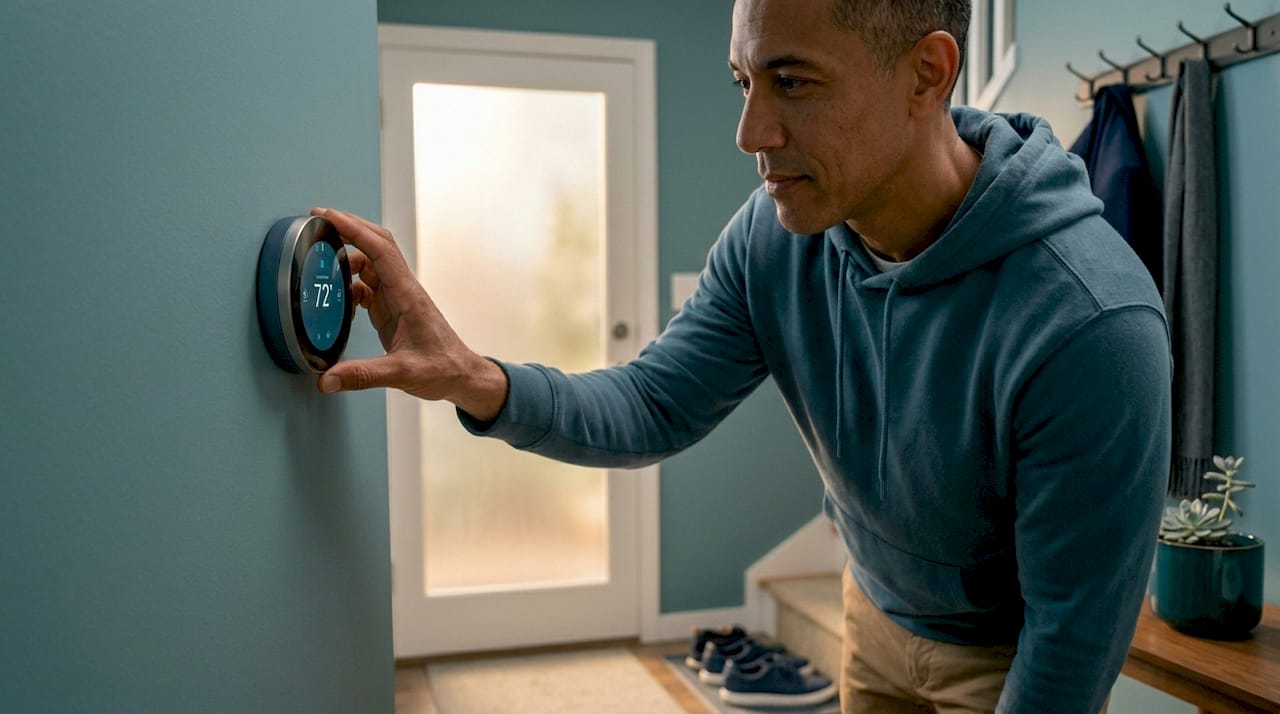
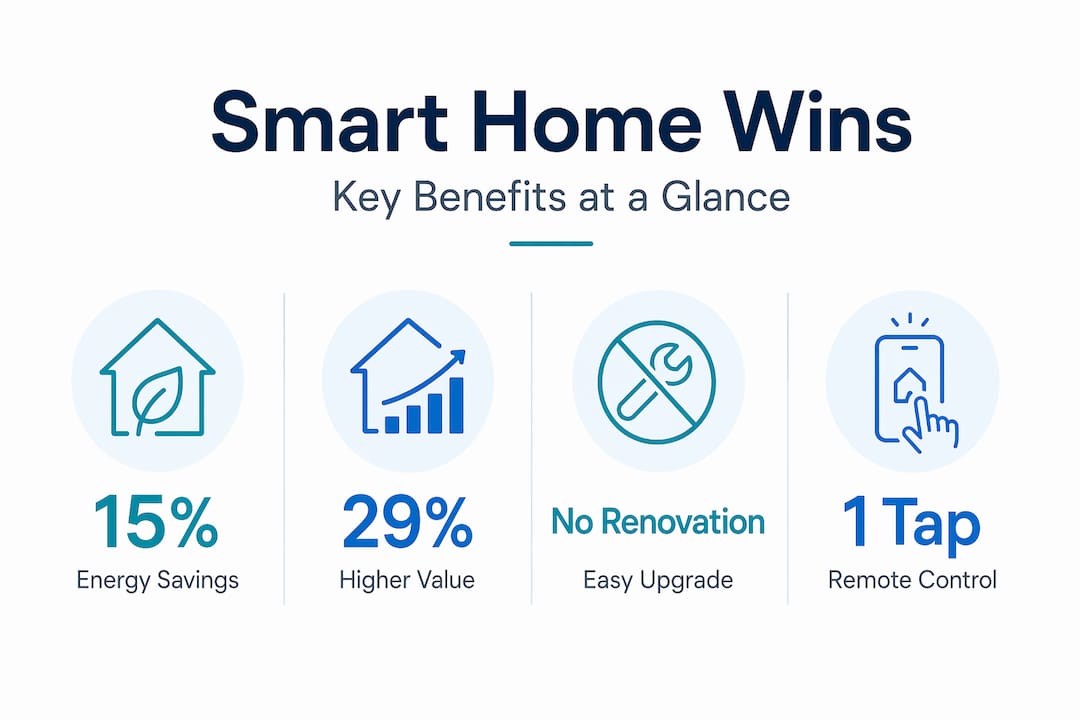
Energy savings are one of the most immediate returns. Smart thermostats and lighting save 8 to 15% on heating and cooling bills, and smart lighting alone can cut energy use by up to 35%. That adds up fast in a house with older HVAC systems or excessive standby appliances.
Security improvements come without major renovation. A smart lock, doorbell camera, and a couple of indoor sensors give you a clear picture of what is happening at your home at all times. You get alerts on your phone, recorded footage, and remote locking capabilities all in one app.
Resale and rental value is a factor many overlook. 29% of homebuyers are willing to pay more for properties with smart technology installed. That is a meaningful return on a relatively small investment in devices.
Here is a summary of the top benefits at a glance:
- Lower monthly energy bills through intelligent scheduling and automation
- Real-time home security monitoring and instant alerts
- Increased property value and appeal to buyers and renters
- Remote control of appliances, lighting, and climate from anywhere
- Environmental impact through reduced energy consumption
Convenience rounds it all out. Being able to check if you left the stove on, unlock the door for a delivery, or dim your living room lights without getting off the couch sounds minor. Over time, these small conveniences reshape how comfortable your home actually feels.
Choosing smart home devices and systems: tips and comparisons
With clear benefits in mind, the next step is choosing the right devices without getting overwhelmed by options.
The single most important factor in 2026 is compatibility. The Matter protocol now unifies device compatibility across Apple, Google, and Amazon ecosystems, solving the fragmentation problem that frustrated early adopters for years. Buying Matter-certified devices means your thermostat, lights, and locks will all work together regardless of brand.
Start with high-ROI devices like thermostats and lighting for immediate savings, then layer in security and convenience devices as your budget allows. This approach avoids the trap of buying a dozen gadgets that do not communicate with each other.
Here is a comparison of the most common communication protocols:
| Protocol | Range | Speed | Best for |
|---|---|---|---|
| Wi-Fi | Long | Fast | Cameras, doorbells |
| Zigbee | Medium | Fast | Lighting, sensors |
| Z-Wave | Medium | Medium | Locks, thermostats |
| Matter | Varies | Fast | Cross-brand compatibility |
| Thread | Medium | Very fast | Low-power sensors |
Top device categories to start with:
- Smart thermostat: Immediate energy savings and scheduling
- Smart lighting system: Ambiance control and energy efficiency
- Smart lock and doorbell: Security without permanent wiring changes
- Smart plug: Entry-level automation for any standard appliance
- Hub or voice assistant: Central control for all your devices
For ideas on stylish latest smart lighting options that work with modern decor, a good starting point helps you avoid buying bulbs that do not fit your ecosystem.
Pro Tip: Pick one ecosystem (Apple HomeKit, Google Home, or Amazon Alexa) and stick to it when buying your first few devices. You will avoid app overload and pairing headaches. Expanding to Matter-certified devices later keeps your options open without starting over.
Smart home installation and system management for homeowners and renters
Now that you know what to buy, here is how to install and manage your smart home effectively without calling a technician for every step.
The setup process looks different depending on whether you own or rent. Renters should prioritize no-permanent-wiring devices like Wi-Fi plugs, battery-operated sensors, and smart bulbs in existing fixtures. These devices take minutes to install and come down just as easily when you move.
Step-by-step setup for any home:
- Choose your hub or ecosystem first. A voice assistant or dedicated hub (like SmartThings or Apple HomePod) becomes the brain of your setup. Everything connects through it.
- Install your highest-priority device. A smart thermostat or lighting kit gives you an immediate win and helps you get familiar with the app.
- Test your network coverage. Smart devices need a strong Wi-Fi signal. Walk your home with your phone and note any weak spots before placing sensors or cameras.
- Add devices gradually. One or two new devices per week is a reasonable pace. Rushing leads to pairing failures and automation conflicts.
- Build scenes and automations. Once your core devices work reliably, create grouped commands. A “Good night” scene might lock the door, turn off all lights, and lower the thermostat.
- Review and clean up regularly. Remove unused automations and exclude devices from old hubs before adding them to a new one. This prevents ghost commands and connectivity stalls.
For a practical smart home setup checklist, planning your space before you buy a single device saves time and money.
Pro Tip: If you are migrating from one hub to another, do it in layers. Move lighting first, confirm stability over a week, then move sensors, then locks. Migrating everything at once is the fastest path to connectivity problems.
Boosting your home’s style and value with smart home tech
Beyond functionality, smart home features can also transform how your living space looks and feels, and what it is worth on the market.
The visual integration of smart devices has improved significantly. Modern smart switches, bulbs, and thermostats are designed to complement contemporary home decor, not clash with it. Sleek white or neutral designs blend with most interiors, and many smart lighting systems let you adjust color temperature to shift the mood of a room from bright and productive to warm and relaxing.
Smart-enabled properties attract buyers at a premium, with 29% willing to pay more for homes that include this technology. That is a real market signal worth paying attention to if you plan to sell or rent out your home in the next few years.
Here is how smart technology maps to style and value improvements:
| Smart feature | Style benefit | Value impact |
|---|---|---|
| Smart lighting | Adjustable ambiance and color | High |
| Smart thermostat | Clean, minimal wall display | Medium |
| Smart lock | Modern hardware look | Medium |
| Smart security cameras | Discreet, professional aesthetic | High |
| Smart plugs | Minimal visible hardware | Low |
Practical ways to blend smart devices into your decor:
- Choose devices in finishes that match your fixtures (matte black, brushed nickel, white)
- Use in-wall smart switches instead of plug-in adapters to keep walls clean
- Mount cameras at ceiling level for security coverage without visual clutter
- Pair smart lighting with your existing furniture and color palette for cohesion
For inspiration on how to connect technology with interior design, explore smart home decor ideas that show how modern gadgets and stylish spaces can work together.
Why starting smart the right way makes all the difference
Here is something most smart home guides will not tell you: the number of devices you own matters far less than how well they work together. We have seen homeowners with twenty devices who feel like their setup is broken, and others with five who feel like their home practically runs itself. The difference is always the foundation.
Homeowners who skipped the hub and bought devices impulsively often spend months troubleshooting pairing failures, latency issues, and apps that will not communicate with each other. The advice to start with a central hub is not just a nice suggestion. It is the difference between a smart home and an expensive collection of gadgets.
The other mistake we see constantly is treating smart home automation as a one-time install. It is not. Your automations need tuning as your routine changes, and your network needs the occasional health check to make sure every device has a clean signal path. A smart home is more like a living system than a piece of furniture.
What often gets overlooked is the value of professional installation for specific devices, particularly security cameras and hardwired smart switches. A professional does not just plug things in. They place devices for optimal coverage and signal strength, which makes every automation more reliable. For long-term satisfaction, that investment pays back in reliability and peace of mind. Browse smart home planning tips to build your strategy before you start spending.
The real benchmark for a successful smart home is not how many voice commands it understands. It is how rarely you have to think about it at all.
Explore smart home solutions at New Way Ref
Ready to start or expand your smart home? Your living space deserves products that combine function with great design, and that is exactly what you will find at New Way Ref.
At New Way Ref, we offer a thoughtfully curated selection of smart home accessories, modern lighting, and home decor solutions to help you transform your space. Whether you are looking for energy-saving lighting, stylish smart accessories, or everyday home upgrades, our product range makes it easy to shop with confidence. Enjoy free shipping on orders over $50 and browse our trending collections to find exactly what your home needs next.
Frequently asked questions
What exactly is a smart home?
A smart home is a residence equipped with internet-connected devices that can be remotely controlled and automated through apps or voice assistants to improve convenience, security, and energy efficiency.
Are smart homes affordable for average homeowners?
Yes, many smart home products cost under $100, which means you can build your setup gradually without a large upfront investment.
Can renters install smart home devices without permanent changes?
Renters can use non-permanent devices like Wi-Fi smart plugs and battery-operated sensors that require no hardwiring and remove cleanly when you move.
Which smart devices provide the quickest return on investment?
Smart thermostats and lighting offer the fastest savings on energy bills along with improved home security, making them the best starting point for most households.
How do smart homes improve property values?
About 29% of homebuyers are willing to pay more for homes with smart technology installed, reflecting genuine market demand for connected, efficient living spaces.